Apps Games Articles
BiP - Messenger, Video Call
BiP A.S
Rating 4.5star icon
Editor's summary
Editor rating
star icon star icon star icon
half star icon
empty star icon
3.9

One-line summary BiP is easy to like for its rich features, clean messaging basics, and free-feeling communication perks, but I’d hesitate to recommend it over the best chat apps because calling reliability and a few awkward interface decisions still get in the way.

  • Installs

    50M+

  • Developer

    BiP A.S

  • Category

    Communication

  • Content Rating

    Everyone

  • Latest version

    3.86.29

  • Package

    com.turkcell.bip

In-depth review
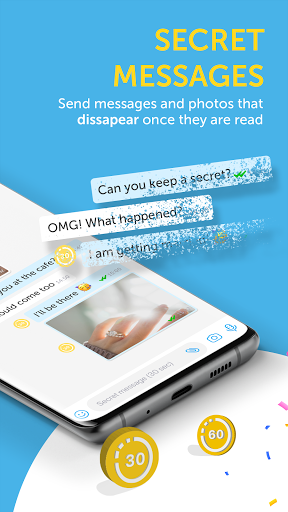
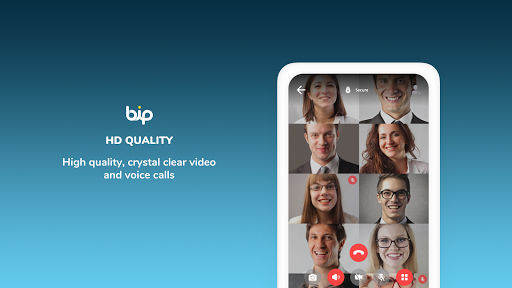
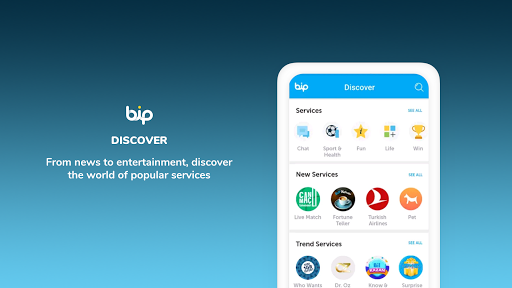
After spending real time with BiP as a daily messaging app rather than just opening it for a quick tour, my reaction is mostly positive with a healthy dose of caution. This is not a bare-bones clone trying to catch up. BiP actually feels like a serious communication app with its own identity. It covers the essentials well, adds a few genuinely useful extras, and in some moments it feels surprisingly thoughtful. At the same time, it also has rough edges that keep it from feeling as effortless as the very best apps in this category. The first thing I noticed is that BiP is easy to get around once you understand its structure. Text messaging is fast, group chats are straightforward, and the app offers more than the usual send-text-send-photo routine. Features like disappearing messages, translation, status updates, stickers, location sharing, and reminders give it a broader toolkit than many people might expect. I especially liked that some of these tools are practical rather than gimmicky. Translation, for example, can be genuinely handy in multilingual chats, and reminders are the kind of small utility that can make an app feel more useful in daily life. There is also a nice sense that BiP wants to be a communication hub, not just a place to exchange one-line messages. A second strength is that the app generally feels friendly and accessible. Initial setup is simple in theory, and once you’re inside, the core messaging experience is clean enough that even less technical users should be able to figure it out. Sending messages, sharing media, and participating in groups all feel familiar. I also appreciate that the app does not come across as cluttered with intrusive ads or constant pop-ups. That alone makes it calmer to use than many free communication apps. In normal chat use, BiP is pleasant. It does the basic work of keeping people connected without feeling cheap. The third thing BiP gets right is ambition. HD voice and video calls, channels, emergency sharing options, and richer messaging features make it feel broader than a simple messenger. On paper, that could have turned into bloat, but in practice BiP stays fairly usable. I also like that it puts privacy and secure communication front and center. Every messaging app says the right words here, of course, but BiP at least presents itself as a privacy-conscious alternative, and that matters for people who are actively looking for options beyond the biggest incumbents. Where things become less convincing is in the finer details of use. My biggest complaint is that BiP does not always feel as smooth as it should during calling. Voice and video calling are central to the app’s identity, yet this is where I ran into the most friction. Connection can feel slower than expected, and the quality is not always as dependable as the app promises. In some sessions it works well enough, but in others there is a noticeable delay before the call properly connects, and video calling in particular can feel less polished than the rest of the app. For an app that wants to compete on communication quality, that inconsistency matters. Another weakness is the interface flow. Some actions that should feel unified are oddly separated. I found the division between calling and messaging less intuitive than it should be, especially if you are used to apps where communication with a contact feels centered in one obvious place. On BiP, there are moments where you feel like you are jumping between different areas for things that should be part of the same conversation flow. It is not impossible to learn, but it creates unnecessary friction and makes the app feel less elegant than it could be. Registration and account management can also be a headache. Verification appears to work fine for many people, but it is clearly one of those parts of the app that can become irritating when it goes wrong. In my time with it, setup felt mostly straightforward, but I never got the sense that onboarding was as bulletproof as top-tier messaging apps. Small account-related annoyances, contact syncing delays, and occasional awkwardness around phone numbers make the app feel a little less mature than the leaders in this space. There are also smaller quality-of-life issues. Contact handling could be smarter. Some app behaviors, like needing saved numbers in situations where other messengers are more flexible, feel dated. Group controls could be better too, particularly if you care about who can add you or how tightly you manage your chat experience. None of these problems ruin BiP, but together they create a sense that the app is still polishing basic usability while also trying to offer an enormous feature set. So who is BiP for? It is a good fit for people who want a feature-rich alternative messenger with voice and video calling, useful extras like translation and reminders, and a generally clean everyday chat experience. It also makes sense for users in regions or mobile plans where BiP’s connectivity advantages are especially meaningful. If your priority is messaging first, with occasional calls and a handful of bonus tools, BiP is easier to recommend. Who is it not for? If you demand the most polished call performance, the smoothest contact management, and the least friction during setup and day-to-day navigation, BiP still feels a step behind the category leaders. Power users who care a lot about seamless call switching, rock-solid verification, or ultra-refined chat flow may find its quirks more annoying over time. My overall take is that BiP is better than skeptics might expect. It is not just functional; at times it is genuinely enjoyable, and some of its features are thoughtfully useful. But it is also an app that asks for a bit of patience. If the developers tighten calling reliability, simplify a few navigation choices, and make onboarding more dependable, it could become far easier to recommend without reservations. As it stands, BiP is a solid messenger with real value, but not yet the most polished one you can install.