Apps Games Articles
Evernote - Note Organizer
Evernote Corporation
Rating 4.4star icon
Editor's summary
Editor rating
star icon star icon star icon star icon empty star icon
4.1

One-line summary Evernote is still one of the best cross-device capture-and-organize tools around, but its occasional sluggishness and uneven search reliability keep it from feeling as effortlessly dependable as the best note apps should.

  • Installs

    100M+

  • Developer

    Evernote Corporation

  • Category

    Productivity

  • Content Rating

    Everyone

  • Latest version

    VARY

  • Package

    com.evernote

In-depth review
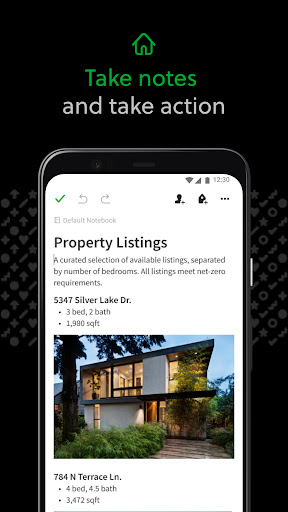
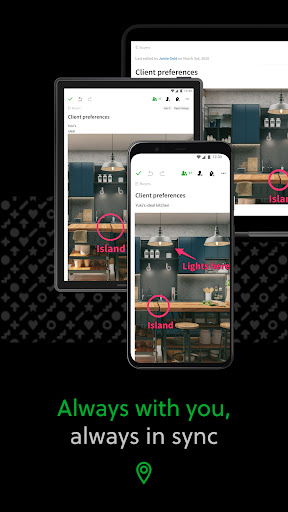
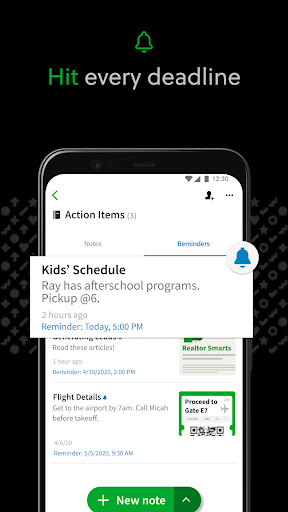
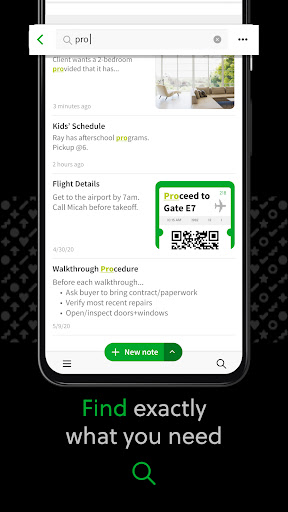
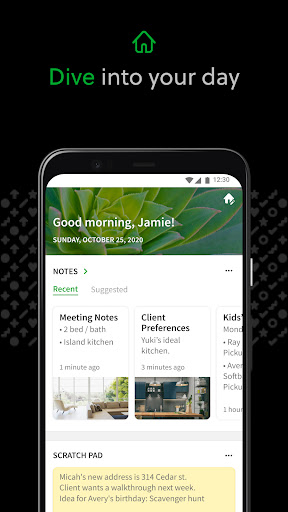
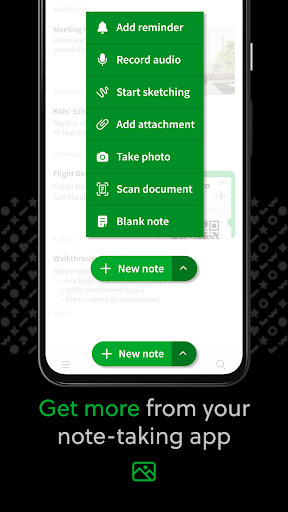
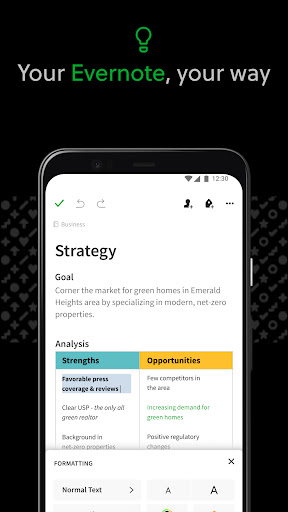
Evernote is one of those apps that carries a lot of history with it, and after spending real time with the current Android version, the biggest surprise is that it still feels genuinely useful in a way many note apps don’t. Not glamorous, not always fast, and not perfect—but useful. If your life is full of scattered information, Evernote makes a strong case for being the place where everything lands. The core experience is straightforward: you open the app, create a note, drop in text, photos, scans, lists, or attachments, and trust that it will be there later on your other devices. That last part is still one of Evernote’s best qualities. In daily use, the app feels less like a simple notepad and more like a personal filing cabinet that happens to live on your phone. I found it especially good for mixed-use note taking: a shopping list in the morning, meeting notes in the afternoon, a scanned receipt in the evening, and a half-formed article idea before bed. Evernote handles that kind of messy, real-world information better than many apps that are more elegant but more rigid. The first strength is organizational flexibility. Notebooks, notes, tasks, and searchable content all work together in a way that encourages you to dump things in quickly and sort them out later. That matters. Good productivity apps reduce friction, and Evernote usually does. I liked being able to keep personal writing, reminders, saved documents, and reference material in separate buckets without feeling like I was maintaining a complex system. The Home dashboard also helps by surfacing relevant material instead of making you dig every time you open the app. It gives the app a practical, “pick up where you left off” feel. The second major strength is cross-device continuity. Evernote remains very good at making your notes feel available everywhere, which changes how you use it. During testing, I often started a note on mobile and mentally treated it as something I could finish elsewhere later. That removes a surprising amount of friction from everyday capture. For writers, students, and people managing ongoing projects, this makes Evernote more than a note app; it becomes a workspace you can enter from any device. The third strength is the breadth of content it can handle. This is not just an app for plain text notes. It works well when your information is messy and comes from different sources: typed notes, checklists, scanned paper, PDFs, photos, clipped content, and more. If you deal with receipts, handwritten pages, whiteboards, or random reference material, Evernote feels especially practical. Searchable storage is the real value here. When it works well, it turns chaos into something retrievable. That said, using Evernote every day also makes its rough edges impossible to ignore. The biggest weakness is speed. On Android, the app can feel heavier than it should. There were moments when loading notes, switching views, or waiting for content to settle took just long enough to interrupt the flow. This is not a deal-breaker if you use Evernote as a deep archive or project hub, but it does matter if you want lightning-fast capture. The irony is that note apps live or die by immediacy, and Evernote does not always feel immediate. The second issue is that search, while powerful in concept, doesn’t always inspire complete confidence in practice. Evernote’s promise is that you can throw everything into it and find it later. Most of the time, that works well enough. But in heavier use, I had moments where results felt incomplete or less predictable than they should be. That inconsistency matters more here than it would in a simpler notes app because search is such a central part of Evernote’s identity. The third weakness is feature balance. Evernote is broad, but that does not mean it is best-in-class at every specific job. Tasks are useful, and the calendar connection adds structure, but if your main goal is hardcore task management, dedicated to-do apps feel sharper. If your focus is long-form writing or polished document creation, specialized writing and office tools still do those jobs better. Evernote shines most when you want one place for many kinds of information, not when you want the absolute strongest tool for one narrow workflow. In terms of design, the app lands in a good middle ground. It is clean enough to stay approachable, but not so stripped down that it feels toy-like. I liked that it encouraged quick capture without making organization feel mandatory in the moment. At the same time, some screens still carry a slightly dense, utility-first feel. That is not necessarily bad, but it does contribute to the sense that Evernote is a serious organizer first and a delightfully lightweight note pad second. So who is Evernote for? It is a very good fit for people who collect a lot of information from different parts of life and want one searchable home for it: writers gathering ideas, students managing class material, professionals taking meeting notes, or anyone trying to go paperless with scans and receipts. It also works well for users who move between phone, tablet, Chromebook, and desktop and want continuity more than minimalism. Who is it not for? If you want the fastest, simplest note app possible, Evernote may feel too heavy. If you need a focused task manager, a dedicated planner may suit you better. And if your workflow depends on flawless search speed and absolute responsiveness, Evernote can occasionally test your patience. Overall, Evernote remains a mature, capable organizer that is at its best when you treat it as your external brain: a place to capture first, structure later, and retrieve when needed. It is not the lightest note app, and it is not the sharpest specialist tool. But as an all-purpose repository for notes, documents, reminders, and ideas, it still earns its place—and for many people, that breadth is exactly why it is worth using.