Apps Games Articles
Employee Schedule & Time Clock
Homebase Team Management
Rating 4.4star icon
Editor's summary
Editor rating
star icon star icon star icon star icon empty star icon
4.3

One-line summary Homebase is an impressively practical all-in-one scheduling and time-clock app for hourly teams, but occasional interface quirks in time edits keep it from feeling completely friction-free.

  • Installs

    1M+

  • Developer

    Homebase Team Management

  • Category

    Business

  • Content Rating

    Everyone

  • Latest version

    3.93.1

  • Package

    com.joinhomebase.homebase.homebase

In-depth review
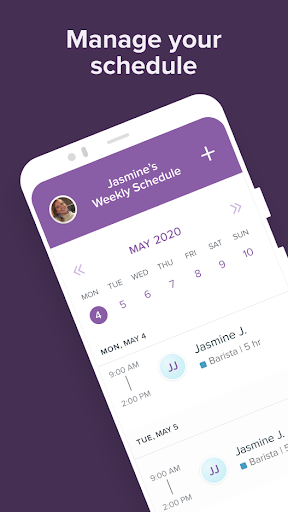
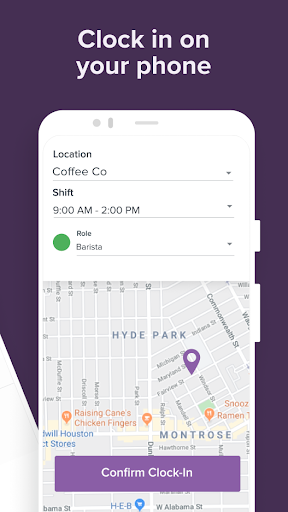
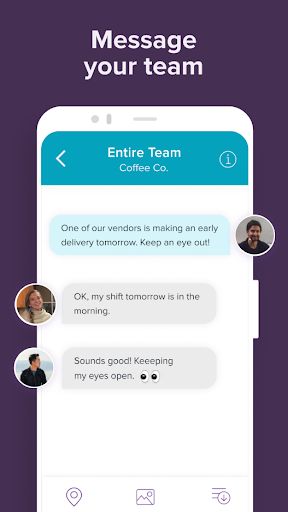
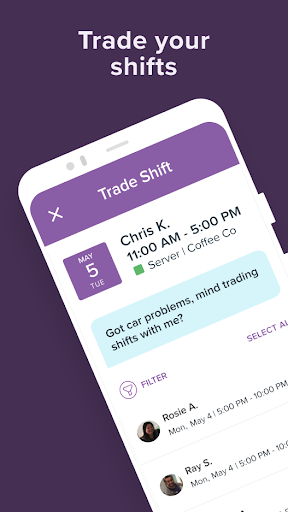
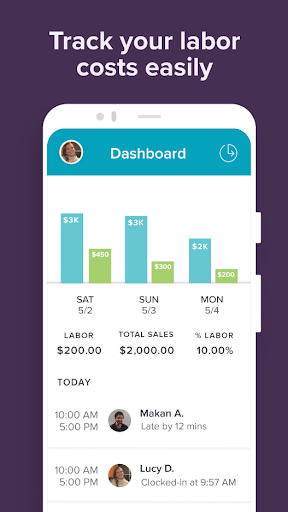
After spending time with Employee Schedule & Time Clock, better known on Google Play as Homebase: Scheduling & Payroll, my biggest takeaway is that this is one of those rare small-business apps that mostly understands the reality of shift work. It is built for the daily grind: making schedules, getting people clocked in, checking timesheets, handling time-off requests, and keeping a team informed without forcing everyone into a bloated corporate workflow. In day-to-day use, that practicality matters more than flashy design, and Homebase generally gets that balance right. The first thing I liked is that the app feels purpose-built rather than overloaded. A lot of workforce apps promise scheduling, payroll, hiring, messaging, attendance, and compliance, then turn into a maze. Homebase still has a lot going on, but the core actions are easy to understand. It is not hard to figure out where to go to view a schedule, clock in, review hours, or check team updates. For managers, that clarity matters because these are repetitive tasks done under time pressure. For employees, it matters even more because no one wants to fumble with an app while starting a shift. In actual use, scheduling is one of Homebase’s stronger areas. Building and sharing schedules feels streamlined, and the app does a good job making schedule information easy to consume on a phone screen. Shift reminders and visibility into availability and time-off requests help reduce some of the back-and-forth that usually clogs team chats. I also liked that the scheduling side does not feel isolated from the time-tracking side. Once the schedule is in place, the flow into attendance and timesheets feels reasonably connected, which is exactly what you want from an app in this category. The time clock experience is another clear strength. Mobile clock-in and clock-out are straightforward, and timesheet data being pulled together automatically gives the app a useful sense of continuity. That sounds basic, but many apps still make time tracking feel detached from the rest of team management. Here, it feels like one ongoing workflow: schedule the team, track the shift, review the hours, then push that data toward payroll. If you are running a restaurant, retail shop, café, salon, or other hourly workplace, this kind of cohesion is the difference between an app that saves time and one that creates more admin work. Communication is also better integrated than I expected. Group messaging and shift-related updates feel like natural extensions of the scheduling workflow instead of random add-ons. That helps keep operational chatter in one place. You are not constantly jumping between the schedule, a separate chat app, and manual reminders. For small teams especially, that all-in-one setup is one of Homebase’s best arguments. That said, Homebase is not flawless, and some of its rough edges show up exactly where a manager needs confidence: editing time records and making corrections. During testing, I found parts of the timesheet adjustment flow less intuitive than they should be. Some actions that ought to be obvious can feel hidden or poorly surfaced. Even when the functionality is there, the interface does not always communicate it clearly. That is a meaningful weakness because clock-in corrections are not an edge case; they are normal life in any hourly workplace. A second issue is that the app can sometimes feel dense once you move beyond the core actions. Scheduling and clocking in are fairly approachable, but deeper administrative tasks require more tapping and more attention to where options are tucked away. This is not a deal-breaker, but it does create moments where the app feels more utilitarian than elegant. Owners and managers willing to learn the system will likely be fine. Casual users expecting everything to be instantly obvious may hit some friction. My third complaint is that Homebase occasionally gives the impression of trying to be an all-in-one command center before every screen is equally polished. That is common in business software, and Homebase handles it better than many rivals, but there are still places where the interface feels more functional than refined. It works, but not every interaction feels as smooth as the app’s best screens. You notice this most when handling exceptions rather than routine tasks. Still, those complaints do not erase the app’s biggest strengths. Homebase is genuinely useful. It saves effort in the places that matter most, keeps scheduling and attendance tightly linked, and makes mobile access feel normal instead of compromised. I also appreciate that it does not rely on ads cluttering the experience. The app presents itself as a work tool, and for the most part it behaves like one. Who is this for? Small businesses with hourly employees are the obvious audience, especially teams that need one mobile hub for schedules, time tracking, and basic team coordination. Managers who want to reduce texting, paper schedules, and manual timesheet cleanup will get the most out of it. It is also a good fit for employees who want quick access to shifts, hours, and team updates from their phones. Who is it not for? If you only need a bare-bones personal punch clock, this will feel too business-oriented. And if your team demands highly polished admin workflows with zero learning curve, some of the hidden or awkward controls may frustrate you. Overall, Homebase earns a positive recommendation because it succeeds at the fundamentals that matter every single day. It is not the prettiest or most frictionless workforce app in every corner, but it is practical, capable, and far more helpful than cumbersome. For small teams managing hourly work, that is exactly the kind of app worth keeping around.