Apps Games Articles
Simple Radio: Live AM FM Radio
Streema, Inc.
Rating 4.6star icon
Editor's summary
Editor rating
star icon star icon star icon star icon
half star icon
4.5

One-line summary Simple Radio earns a strong recommendation for its fast, clutter-free station browsing and dependable playback, but you should hesitate if you want advanced organization tools or absolutely flawless buffering on every stream.

  • Installs

    50M+

  • Developer

    Streema, Inc.

  • Category

    Audio

  • Content Rating

    Teen

  • Latest version

    -

  • Package

    com.streema.simpleradio

Screenshots
In-depth review
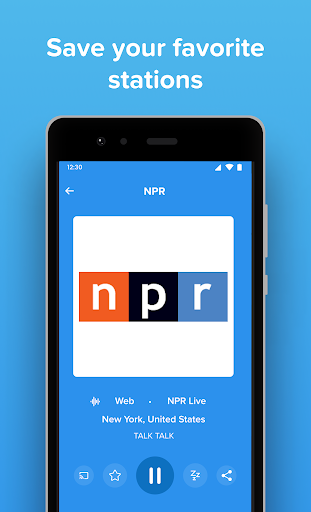
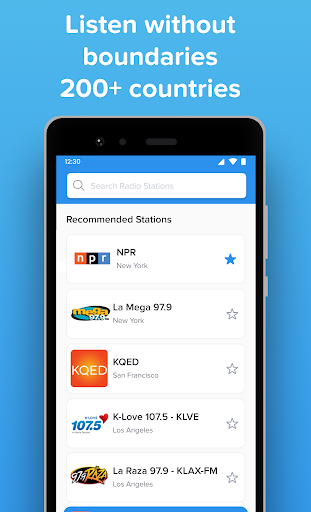
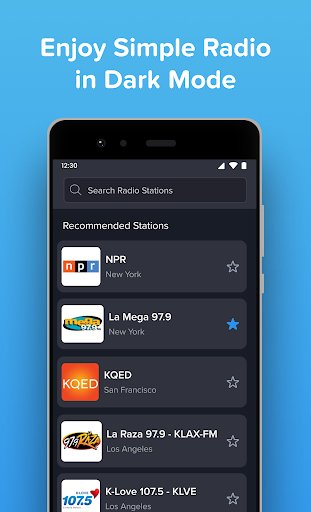
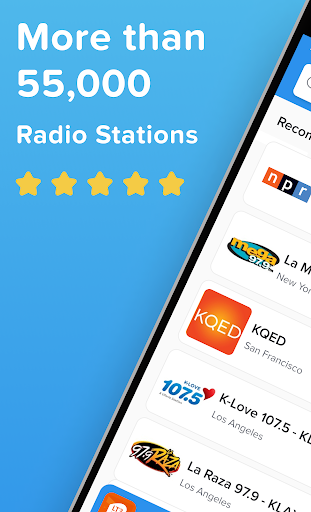
Simple Radio: Live AM FM Radio understands something a lot of audio apps have forgotten: sometimes the best feature is getting out of the way. After spending time with it as an everyday listening app rather than a five-minute test download, what stands out most is how little friction there is between opening the app and hearing something you actually want to listen to. That sounds obvious, but in a category full of bloated interfaces, overdesigned recommendation feeds, and aggressive interruptions, Simple Radio feels refreshingly direct. The first thing I liked was the app’s overall tone. It does not try to reinvent radio. You open it, search for a station, browse by category or location, save favorites, and start listening. That basic flow is where the app is at its best. Searching for stations is quick, and the catalog feels broad enough that I rarely hit a dead end when looking for a format, a city, or a familiar call sign. It is especially good at making casual discovery painless. If you are the kind of listener who jumps between news, talk, oldies, jazz, sports, or local stations from different regions, the app makes that kind of hopping feel natural. The interface also deserves credit for being genuinely clean rather than merely plain. Buttons are where you expect them to be, favorites are easy to reach, and playback starts with minimal fuss. In daily use, that matters more than flashy visual design. I found it particularly good for those in-between moments: opening a station while making breakfast, switching to a different stream during a commercial break, or pulling up a saved favorite when getting into the car. The app’s simplicity is not just aesthetic; it saves time. A second major strength is audio quality and general playback reliability when the stream itself is solid. On a decent internet connection, stations start quickly and the sound is crisp. That makes the app especially useful for anyone who lives in an area with poor over-the-air reception or uses a phone that no longer includes a built-in FM option. In practice, it often felt more consistent than trying to rely on traditional radio hardware in weak reception zones. Background playback also adds to the sense that this is a practical, everyday tool rather than a novelty app you open once and forget. The third thing Simple Radio gets right is restraint around ads, at least compared with many free radio apps. The ad load is noticeable because this is a free product, but in regular use it did not feel like the app was constantly punishing me for tapping around. That balance helps preserve the whole point of the experience. Radio already includes station-side ads; an app can become unbearable if it piles too much on top. Simple Radio generally avoids crossing that line, and there is a paid route for people who want a cleaner experience. That said, this is not a perfect app, and some of its weaknesses become clearer the longer you use it. The first issue is that stream stability is not absolutely bulletproof. Most of the time playback is smooth, but there are occasional moments where a station buffers, pauses, or briefly becomes unavailable. That is partly the nature of internet radio, but it still affects the experience because radio is supposed to feel immediate. When you are listening casually, a hiccup is easy to forgive; when you are following live talk or sports, it is more annoying. The second weakness is that the app’s simplicity can shade into limitation. Favorites are easy to save, but if you build a large collection, organization starts to feel basic. Power listeners who want folders, smarter sorting, or more control over managing a long station list may eventually bump into the app’s ceiling. Simple Radio is excellent at getting you to a stream quickly; it is less impressive as a heavy-duty library management tool. The third complaint is that some platform-specific polish still feels a little uneven. The app is clearly designed to be used in the car and on the go, and in broad terms it succeeds, but certain convenience features could be smoother depending on device and setup. That does not break the app, but it does remind you that “simple” is not always the same thing as fully refined in every context. So who is this app for? It is for listeners who want radio without ceremony: people who miss the ease of tuning into stations, commuters who rely on internet audio, sports and talk fans who want quick access to live streams, and anyone replacing a missing hardware radio on a newer phone. It is also a strong fit for users who are tired of audio apps that feel overloaded with recommendations, podcasts, and visual clutter. Who is it not for? If you want deep customization, robust collection management, niche power-user controls, or a guarantee that every station will behave perfectly every time, this may feel a little too bare-bones. And if you are often in poor data coverage, remember that this is internet radio, not offline FM magic. Overall, Simple Radio succeeds because it respects your time. It launches quickly, finds stations easily, sounds good, and stays focused on the core job. Its occasional buffering and light feature ceiling keep it from being flawless, but as a practical radio app for everyday use, it is one of the easiest recommendations in its category. It does not try to be everything. Most of the time, that is exactly why it works.