Apps Games Articles
Brave Private Web Browser, VPN
Brave Software
Rating 4.7star icon
Editor's summary
Editor rating
star icon star icon star icon star icon
half star icon
4.5

One-line summary Brave is one of the easiest browsers to recommend if you want fast, private, ad-light browsing out of the box, but its aggressive blocking and occasional feature bloat can still get in the way.

  • Installs

    100M+

  • Developer

    Brave Software

  • Category

    Communication

  • Content Rating

    Everyone

  • Latest version

    1.87.192

  • Package

    com.brave.browser

In-depth review
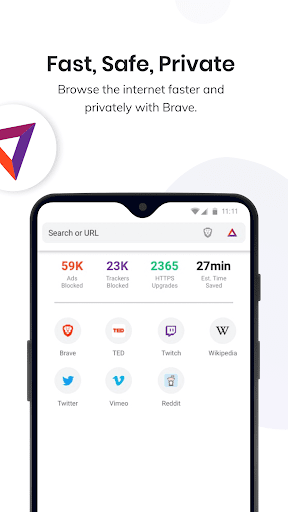
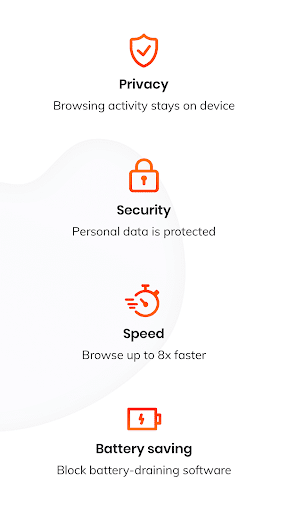
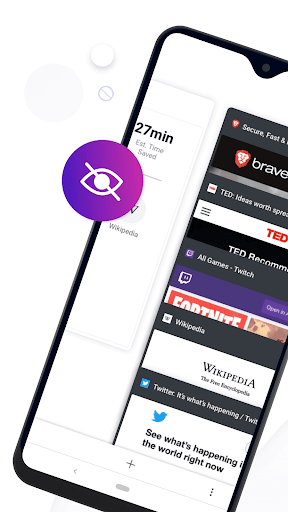
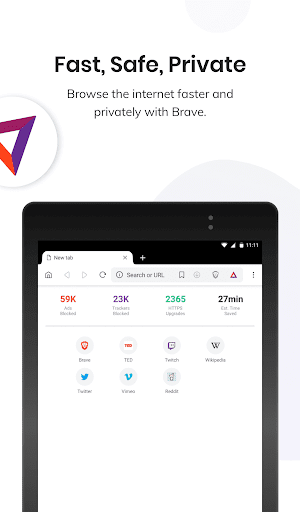
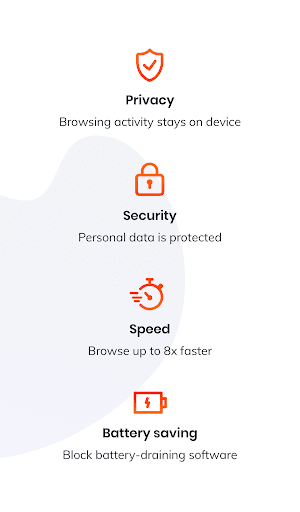
Brave Private Web Browser, VPN feels like a browser made by people who are genuinely tired of how noisy the modern web has become. After spending time using it as a daily browser on Android, that is the strongest impression it leaves: it strips away a lot of the junk that makes mobile browsing annoying, and it does it with very little setup. Install it, open a few familiar sites, and the appeal is immediately obvious. The first thing I noticed was speed, though not in a flashy benchmark sense. Pages simply feel lighter. News sites open without the usual swarm of banners and auto-loading clutter, and recipe pages are far less painful when you are not constantly fighting pop-ups and overlays. Brave’s built-in blocking tools do a lot of heavy lifting here. It is one of those apps where the performance gain and the privacy gain are tightly linked: by blocking ads, trackers, and other web debris, it often ends up feeling faster and cleaner at the same time. That leads directly to the app’s biggest strength: the default experience is good. You do not need to install extra extensions, tweak five menus, or know what tracker scripts are. Brave already comes with ad and tracker blocking, pop-up blocking, cookie-related protections, and secure browsing features enabled. For anyone who has used a more mainstream browser and felt constantly interrupted by consent prompts, autoplaying ads, and cross-site tracking nonsense, Brave feels refreshingly assertive. The second major strength is that it still feels familiar. Because the app is built around a Chromium-style browsing experience, it is easy to settle into. Tabs, bookmarks, browsing history, syncing, and general navigation all feel intuitive. I had no trouble moving between phone and desktop browsing habits mentally, and the sync option is especially useful if you already use Brave elsewhere. It does not feel like you are sacrificing convenience just to get more privacy, and that balance is hard to get right. A third strength is that Brave offers more than just blocking. Dark mode is genuinely helpful for long reading sessions, especially at night, and the browser generally does a nice job making content easier on the eyes. Brave Search is integrated neatly, and while I would not call it universally better than traditional search engines, it fits the browser’s privacy-first approach well. The newer AI assistant, Leo, is there if you want quick summaries or simple prompts in-browser. I appreciate that it exists as an option rather than feeling mandatory, and that matters because not everyone wants AI inserted into every task. That said, Brave is not perfect, and some of its weaknesses show up only after the honeymoon period. The biggest issue is that Brave can sometimes be too aggressive for its own good. A browser that blocks a lot of web clutter is useful; a browser that occasionally breaks pages is less charming. During testing, some sites behaved oddly, especially pages that rely heavily on scripts, embedded media, or account-based services. Most of the time the fix is simple enough: relax protections for that site and move on. But it does mean the experience is not always seamless. If you want a browser that never asks you to think about compatibility, Brave is not always that browser. The second weakness is feature sprawl. Brave is at its best when it acts like a fast, privacy-focused browser. It is less compelling when it starts reminding you that it also has AI, crypto-related features, rewards systems, a VPN offering, and other extras. None of those are inherently bad, and some users will actively want them, but they do add a sense of clutter to a product whose main appeal is simplicity. The good news is that some interface elements can be customized or turned off, but the app would feel cleaner if its core browsing strengths were allowed to take center stage more often. The third weakness is performance consistency on every device. On a reasonably capable phone, Brave feels quick and polished. But it is still a feature-rich browser, and that can show on lower-end hardware or in certain builds. I did not find it universally heavy, but it is the kind of app where background lag or resource use can become noticeable depending on the device and what you have open. It is better than many bloated browsers in day-to-day use, but not magically weightless. There are also a few smaller annoyances. Search results can sometimes feel less geographically tuned than what people are used to from Google, which is good for privacy but occasionally less convenient. YouTube and similar media-heavy sites are usually one of the main reasons people install Brave in the first place, since ad blocking makes them much nicer to use, but playback and playlist behavior are not always flawless. And while I like having privacy controls available, Brave has enough settings that less technical users may feel overwhelmed once they go beyond the defaults. So who is Brave for? It is for people who want a browser that immediately improves the mobile web without demanding much effort. If you care about blocking ads and trackers, prefer a more private search experience, or just want pages to load with less nonsense, Brave is one of the best Android options available. It is also a strong fit for users who already run Brave on desktop and want that same feel on their phone. Who is it not for? If you depend on every site working exactly as intended all the time, dislike toggling protections when something breaks, or have no interest in privacy tools beyond the basics, Brave may occasionally feel like more browser than you need. It is also not ideal for someone who wants the absolute cleanest minimalist interface with zero extra ecosystems attached. Overall, Brave earns its reputation. In daily use it is fast, practical, and meaningfully better than a default browser if your priorities are privacy and fewer interruptions. Its rough edges are real, but they are usually the side effects of being more assertive than the average browser. For most people, that trade-off is worth it.