Apps Games Articles
Robinhood: Trading & Investing
Robinhood
Rating 4.2star icon
Editor's summary
Editor rating
star icon star icon star icon star icon empty star icon
4.3

One-line summary Robinhood is still one of the easiest ways to start buying stocks, options, and crypto from your phone, but its occasional UI quirks and lighter charting depth mean serious traders may want more than it offers.

  • Installs

    10M+

  • Developer

    Robinhood

  • Category

    Finance

  • Content Rating

    Everyone

  • Latest version

    2026.5.5

  • Package

    com.robinhood.android

In-depth review
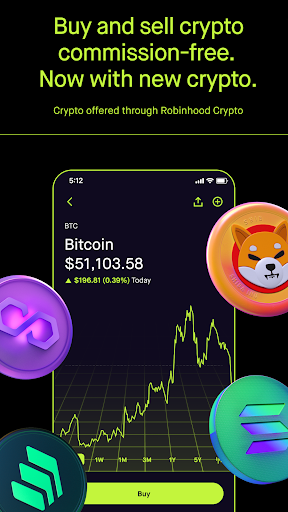
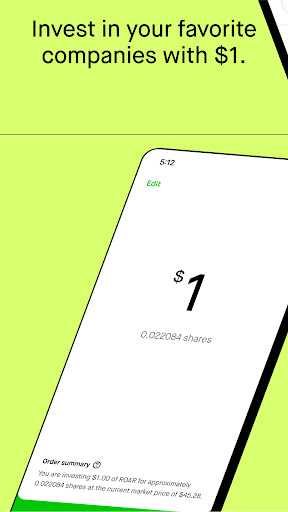
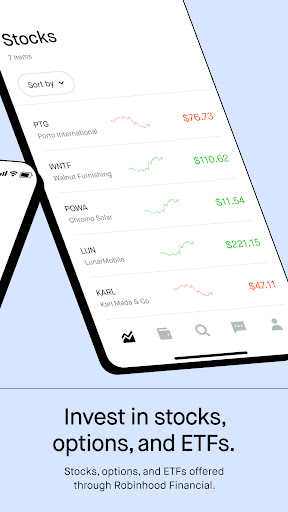
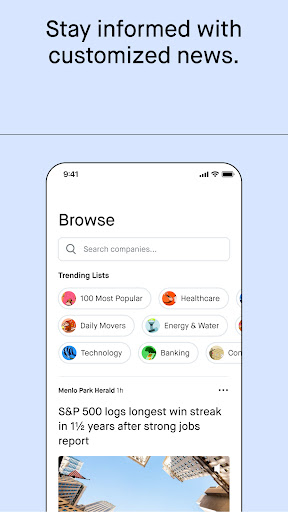
Robinhood remains one of the most approachable investing apps on Android, and after spending time with it, that is still its defining strength. The app is built to make investing feel less intimidating than traditional brokerage software. From the moment you land on the home screen, the design tries to remove friction: watchlists are easy to scan, stock pages load quickly, order entry is straightforward, and the overall flow is simple enough that a first-time investor can get from curiosity to a placed trade without feeling buried under jargon. That ease of use is not just a marketing talking point. In day-to-day use, Robinhood feels clean, modern, and much less cluttered than many finance apps. If your goal is to check a few tickers, read a quick summary of market movement, look at a chart, and place a buy or sell order in seconds, it does that very well. The app also does a nice job of surfacing relevant news and giving each asset page enough context to make casual research feel possible without constantly jumping to a browser. For beginners, that matters. The app makes investing feel accessible rather than exclusive. The second thing that stands out is how broad the app feels for a free mobile-first platform. Robinhood is no longer just a basic stock-trading shell. Within one app, you can move between stocks, ETFs, options, crypto, and account management features without feeling like you are using separate products stitched together. That unified experience is one of its best qualities. It gives the platform a convenience factor that is easy to appreciate if you want one financial app instead of several specialized ones. Order placement is another area where Robinhood generally gets things right. Buying and selling is fast, and the workflow is intentionally low-friction. For users making straightforward trades, the app feels efficient. Deposits and transfers also feel integrated into the experience rather than bolted on as an afterthought. In regular use, that smoothness goes a long way toward making Robinhood feel welcoming. But the app is not flawless, and some of its weaknesses show up precisely because it tries so hard to stay simple. The biggest limitation is depth. Robinhood gives you charts and some technical indicators, but the charting experience still feels lighter than what active traders typically want. It is good enough for a quick pulse check, but if you like dense chart setups, highly detailed analysis, or a more information-rich trading interface, Robinhood can start to feel a bit thin. This is an app that prioritizes readability and speed over serious analytical muscle. A second frustration is that the occasional interface bug or display inconsistency can feel more concerning here than it would in a casual app. In a social or shopping app, a UI hiccup is annoying. In a trading app, even a small mismatch in what is displayed can shake confidence. While most of the experience feels polished, there are moments where navigation and live information do not feel as rock-solid as you want when money is involved. That does not erase the app’s strengths, but it does raise the stakes of every visual glitch. The third weak point is that some account-related flows still feel less elegant than the core trading experience. Linking external bank accounts, managing transfers, or dealing with access issues can be less seamless than the app’s glossy design suggests. Robinhood is excellent when you are browsing markets and placing trades; it is a little less impressive when you run into edge cases, verification hurdles, or support situations that require patience. Support exists and is clearly part of the product experience, but this still does not feel like the app’s strongest area. Who is Robinhood for? It is best for beginners, casual investors, and mobile-first users who want a clean interface and a low-barrier way to buy stocks, ETFs, options, or crypto without wrestling with a dense professional terminal. It is especially appealing if you value simplicity, quick access, and a modern design that keeps the basics front and center. Who is it not for? It is not the ideal choice for traders who demand advanced charting, heavy customization, or the kind of deep market tools that make a platform feel like a full workstation. It is also not for people who are highly sensitive to any UI ambiguity in a trading environment, because even occasional inconsistencies feel magnified when you are making financial decisions. Overall, Robinhood still earns its place as one of the most user-friendly investing apps on Android. It succeeds because it lowers the intimidation factor without making the app feel toy-like. That is not easy to do. The interface is polished, the trading flow is fast, and the all-in-one structure is genuinely convenient. At the same time, it has not fully escaped the trade-offs that come with simplifying investing for the masses: lighter analytics, some confidence-shaking rough edges, and account-management moments that do not always feel as smooth as the main experience. If you are starting out or simply want an investing app that feels easy to live with every day, Robinhood is an easy recommendation. If you want precision tools first and simplicity second, you may outgrow it. For most mainstream users, though, Robinhood gets the fundamentals right where it counts: it makes investing feel doable, fast, and surprisingly approachable.