Apps Games Articles
​OneTouch Reveal® app
LifeScan Europe GmbH
Rating 3.9star icon
Editor's summary
Editor rating
star icon star icon star icon star icon empty star icon
4.4

One-line summary OneTouch Reveal is easy to recommend if you use a compatible OneTouch meter and want painless syncing plus genuinely useful pattern tracking, but it is much less compelling if you expect a broadly flexible diabetes app that works equally well without that hardware tie-in.

  • Installs

    1M+

  • Developer

    LifeScan Europe GmbH

  • Category

    Medical

  • Content Rating

    Everyone

  • Latest version

    5.10.1

  • Package

    com.lifescan.reveal

Screenshots
In-depth review
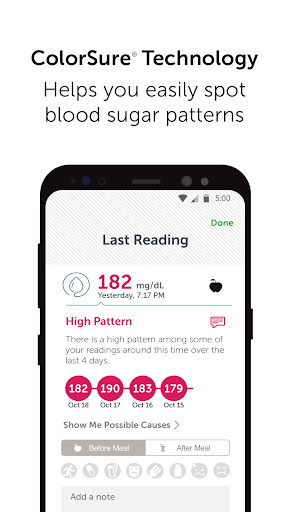
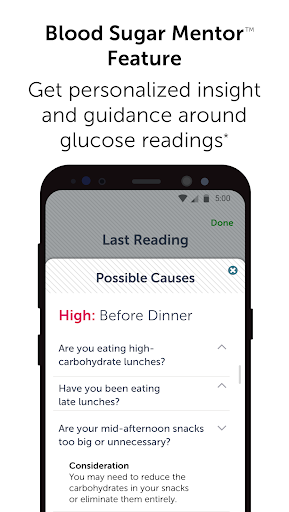
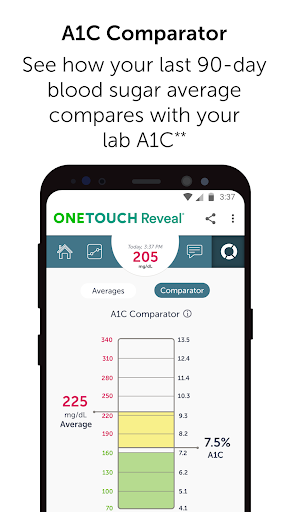
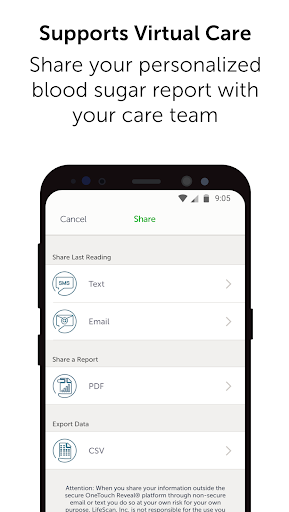
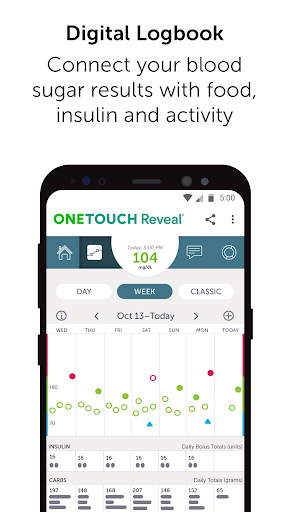
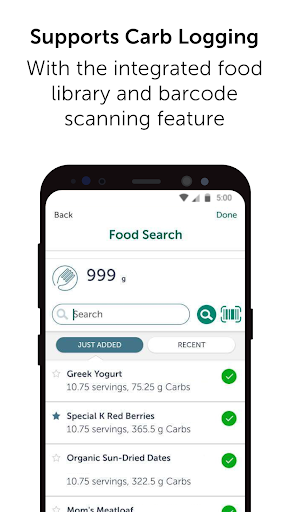
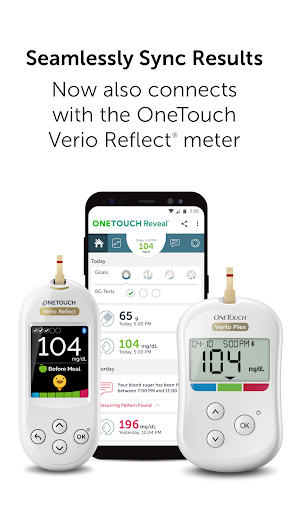
OneTouch Reveal feels like the kind of medical app that understands its real job: get data off the meter, organize it clearly, and make day-to-day diabetes management less tedious. After spending time with it as a daily companion rather than just a five-minute test drive, that practical focus is what stands out most. This is not a flashy wellness app trying to gamify everything. It is a tracking tool built around blood glucose readings first, and in everyday use that turns out to be a strength. The best part of the experience is how little effort it takes once the app is connected to a compatible OneTouch meter. Readings flow in automatically, and that removes one of the most annoying chores in diabetes logging: remembering to manually enter numbers. In use, that changes the app from something you have to keep up with into something that quietly keeps up with you. Open it after a few days and the timeline, logbook, and summaries already tell a story. That sense of reduced friction is the app’s biggest win. Visually, the app is sensible rather than stylish, but that works in its favor. The color-coded approach to high, low, and in-range readings makes the logbook easy to scan, and the short-term summaries over 14, 30, and 90 days are genuinely helpful. I particularly liked the way the app tries to connect readings with the surrounding context: food, insulin, activity, and reminders all sit close enough to the glucose data that patterns are easier to spot without digging through menus. If you are the kind of user who wants to know not just what your number was, but what might have pushed it there, Reveal does a respectable job of turning isolated readings into a usable narrative. Another strong point is that the app encourages action without feeling too preachy. Notifications about recurring highs or lows can be useful when they are grounded in actual patterns rather than one-off bad days. The Blood Sugar Mentor feature, where supported, adds a layer of guidance and encouragement that makes the app feel more like a companion than a storage bin. I would not call the advice revolutionary, but I would call it well judged. It nudges instead of nags, and for a medical app that balance matters. Sharing is also handled well. Exporting reports for a care team is one of those features that sounds minor until you need it, and then it becomes essential. In practice, this is one of Reveal’s most polished ideas. Instead of showing up to an appointment with scattered notes or relying on memory, you have organized data ready to send. For users trying to reduce the administrative overhead of chronic care, that alone can justify keeping the app installed. That said, OneTouch Reveal is not universally excellent. Its biggest limitation is also obvious from the start: the app makes the most sense only if you are already in the OneTouch ecosystem. Without a compatible meter, much of the appeal falls away. Even with manual logging options and support for related data like carbs, exercise, and steps, the app clearly feels designed around automatic meter syncing. If your setup is more mixed, or if you want a diabetes tracker that is hardware-agnostic, this can feel restrictive. The second issue is that the app can sometimes feel more functional than fluid. Most screens are clear, but not all interactions feel especially modern or streamlined. Logging extra context such as meals or activity is useful once entered, yet it still asks for enough effort that you may not do it consistently unless you are highly motivated. That is a common problem in health apps, but Reveal does not completely solve it. The app is at its best when it is collecting data automatically; the more it asks you to become your own clerk, the more the experience loses momentum. A third weakness is that some of its smarter features depend on setup, habit, and compatible hardware to really shine. Pattern alerts, mentoring, goal tracking, Health Connect or Fitbit tie-ins, and carb logging all add value, but not all users will get equal benefit from all of them. In actual use, this means the experience can range from impressively comprehensive to merely adequate depending on how fully your routine maps onto the app. The core glucose tracking remains solid, but the promise of a full management hub is stronger for some users than for others. Who is this for? Most clearly, it is for people who use a compatible OneTouch meter and want a reliable, low-friction way to collect readings, spot trends, and share data with clinicians. It is especially good for users who appreciate seeing numbers organized into patterns rather than just rows of results. It also suits anyone who values reminders and structured summaries more than bells and whistles. Who is it not for? If you want a highly customizable diabetes platform untethered from a specific meter brand, or if you are unlikely to log meals, exercise, and medications consistently, you may find Reveal a bit narrower than you hoped. It is also not the kind of app that turns health tracking into an especially engaging experience; it is competent first, inspiring second. In the end, OneTouch Reveal succeeds because it does the important things well. It saves time, presents glucose information clearly, and makes it easier to communicate with a care team. Its weaknesses are real, especially around ecosystem lock-in and some friction in deeper logging, but they do not overshadow the central experience. For the right user, this is a dependable daily tool, and in a category where convenience and clarity matter more than novelty, that goes a long way.