
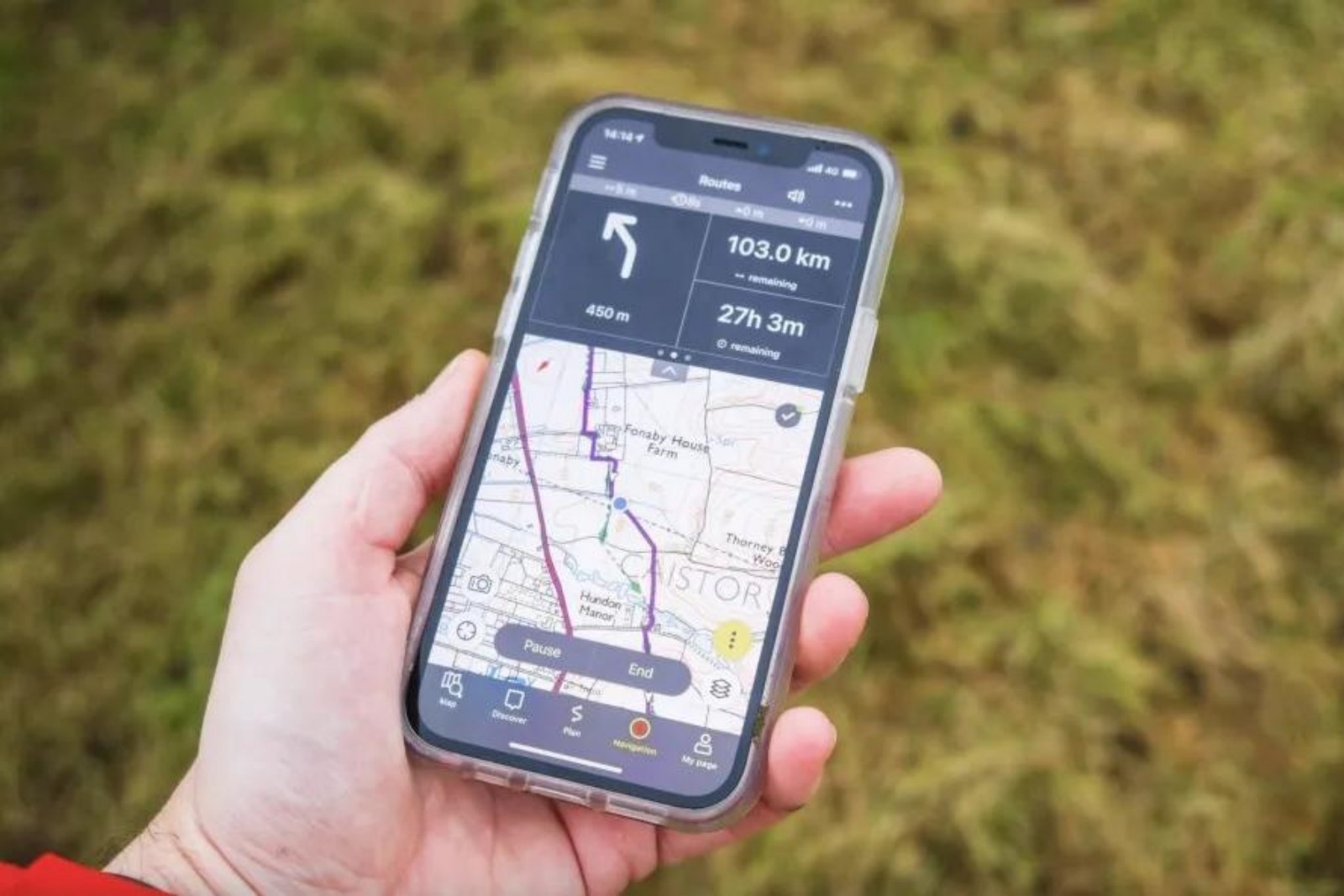
The 5 Best Offline Map Apps for Hikers and Travelers.
Content
The 5 Best Offline Map Apps for Hikers and Travelers
Offline maps solve a simple problem that never quite goes away: sometimes you need directions where data is weak, roaming is expensive, or a signal drops at exactly the wrong moment. That matters for city breaks and road trips, but it matters even more when you're hiking, driving through rural areas, or moving between countries.
The catch is that not every app that mentions maps is equally good offline. Some are clearly built around downloadable navigation. Others add route saving, traffic, weather, or street-level views, but feel more travel-oriented than trail-oriented. Based on the apps in our dataset, these are the five that stand out most for hikers and travelers who need at least some offline usefulness.
A quick note before we rank them: this list is grounded only in the supplied app data. That means some apps here look better for general travel than for serious wilderness navigation. If you're a dedicated backcountry hiker, you'll want to read the trade-offs carefully.
1. Maps, Navigation & Directions
If offline support is your top priority, Maps, Navigation & Directions is the clearest winner in this group.
Unlike some apps that merely hint at offline capability, this one makes it central to its pitch. The description highlights offline routes, offline streets view, offline transit maps, and downloadable maps for use without an internet connection. It also supports multiple travel modes, including walking, driving, biking, and public transport. For travelers moving between cities or countries, that flexibility matters. For hikers, the walking support and included compass and altimeter are especially relevant.
It also looks unusually feature-rich for a free app. The database notes a digital compass, altimeter, speedometer, area calculator, GPS tracking alarm, traffic alerts, weather, UV index, and location history. That doesn't necessarily make it a specialist hiking tool, but it does make it more practical than a bare-bones turn-by-turn navigator. If you're walking in unfamiliar terrain, having an altimeter and compass in the same app can be genuinely useful.
There are trade-offs. The app tries to do a lot, and apps with this many functions can sometimes feel cluttered. One user review also mentions a frustrating issue where the app kept repeating “signal lost” and had to be uninstalled to stop it. That doesn't erase the app's strengths, but it suggests that the experience may not always be polished.
Still, if you want one app from this list that seems most serious about offline navigation rather than just general map browsing, this is the safest first choice.
Why it ranks first: its offline focus is the most explicit and comprehensive in the dataset.
2. Navigation for Google Maps Go
Navigation for Google Maps Go takes second place for a different reason: it appears to be the most approachable lightweight option.
The supplied data is thinner here than for the other apps, so it would be wrong to oversell it. Still, what we do have is promising. The app supports voice navigation in more than 50 languages, includes real-time traffic information, and mentions route finding with offline routes. Combined with Google LLC's name and an enormous install base, that suggests a navigation app aimed at broad accessibility rather than niche extras.
This matters for travelers in particular. If you're navigating a foreign country, language support can be as important as map detail. Voice guidance in many languages is a practical advantage, especially when you're walking through stations, following road directions in a rental car, or sharing a phone between travel companions.
For hikers, though, this app is harder to judge. The supplied data doesn't mention things like altitude tools, area measurement, or trail-specific mapping. So while it may work well as a lightweight offline route companion on a trip, it doesn't present itself as a dedicated outdoor app.
The main reason it doesn't take the top spot is uncertainty. The app likely benefits from simplicity and wide compatibility, but the dataset doesn't give enough detail to confirm how robust its offline features really are compared with our number one pick.
Why it ranks second: excellent voice support and a lightweight, familiar navigation profile, but less clearly detailed offline functionality than the top app.
3. Live Satellite View GPS Map
Live Satellite View GPS Map sits in the middle of this ranking because it combines a decent travel-navigation toolkit with a few genuinely helpful offline-friendly touches.
The app description mentions offline route search and, more concretely, an offline location saving option for maps of countries around the world. It also promises route saving, 2D and 3D route planning, voice instructions, automatic rerouting, and support for walking, cycling, driving, trains, and buses. That makes it one of the broader travel tools on this list.
Where it seems strongest is trip planning and exploration rather than deep outdoor use. The app leans heavily into satellite view, street view, landmark discovery, nearby public places, airports, malls, and global map browsing. That's helpful for travelers who want to understand an area before they arrive, save a route in advance, and keep important locations handy even when connectivity gets patchy.
Some of the reviews support that travel-first framing. One user praised quick loading and clarity, though they also noted that the maps were not as updated as Google Earth. That is exactly the kind of trade-off worth keeping in mind. Speed and convenience can be useful, but outdated map imagery or place information can matter if you're relying on an app in unfamiliar terrain.
For hikers, this app is probably best viewed as a backup or a pre-trip planning tool rather than a specialist field companion. But for travelers who want a mix of saved locations, route storage, and visually rich map modes, it has a reasonable case.
Why it ranks third: good travel-oriented route tools and offline location saving, but less convincing as a serious hiking app.
4. Live Earth Map & GPS Map
Live Earth Map & GPS Map makes this list because it offers a practical blend of route finding, voice help, live traffic, and weather updates.
That combination can be useful on longer trips. Weather is particularly relevant for hikers and road travelers alike, and this app explicitly includes live weather updates along with navigation and satellite-style viewing. If you're planning a day outdoors or driving through changing conditions, seeing weather and route information together can be handy.
The app also appears easy to use, at least from the tone of several reviews, and one user specifically called it useful for truckers and travelers. Another highlighted a desire for pinning routes, which suggests route management may not be as refined as some users want.
The reason it ranks below the top three is simple: its offline credentials are less clear. The brief for this article is specifically about offline map apps, and while this app has route-finding and travel features, the supplied data does not stress downloadable offline maps the way Maps, Navigation & Directions does. Its lower rating also gives some pause, and more than one review mentions ads as a drawback.
That doesn't make it a bad choice. It just makes it a more conditional one. If your idea of offline use is occasional route backup during travel, and you also like weather and satellite imagery, it could be worth a look. If you need dependable offline navigation as your primary reason for downloading an app, the higher-ranked options look stronger.
Why it ranks fourth: useful extras such as weather and voice route help, but a less explicit offline focus and more visible compromises.
5. Street View Map and Navigation
The final spot goes to Street View Map and Navigation.
This is the least clearly offline-oriented app in the ranking, so it lands fifth almost by default rather than by strength in that category. Still, it offers enough useful travel features to deserve inclusion. The app promises accurate directions, voice navigation, traffic maps, altimeter, area calculator, and a strong emphasis on street view and live visual context.
That last point is why it remains relevant. For travelers, especially in cities or unfamiliar towns, being able to preview streets and landmarks can make navigation less stressful. Visual confirmation of what a destination looks like is often more helpful than raw turn-by-turn instructions.
For hikers, the altimeter and area calculator are interesting additions, though the app's overall presentation still feels more urban and visual than trail-focused. It seems built for exploring places on the map, checking street-level surroundings, and navigating roads rather than relying on stored terrain maps in remote areas.
There are also notable caveats. Some reviews mention GPS/location problems and incorrect personal location results. Others complain about ads in the free version. Since the app's offline support is not strongly documented in the supplied data, it is the weakest fit for the article's theme, even if it may still be useful for travelers who want rich visual orientation.
Why it ranks fifth: solid visual navigation tools, but weaker evidence for dependable offline use.
Which app is best for hikers?
Based strictly on the information provided, Maps, Navigation & Directions is the best fit for hikers. It is the only app here that clearly combines offline maps with walking support and outdoor-adjacent tools such as a compass and altimeter. That doesn't automatically make it a full backcountry navigation app, but it is the closest match in this set.
Street View Map and Navigation also mentions an altimeter and area calculator, yet its overall emphasis is more on street view and live exploration. Live Satellite View GPS Map may help with route saving and planning, but it appears more useful for mixed travel than for trail navigation specifically.
So if you're heading into areas where signal is unreliable, the safest recommendation from this dataset is to choose the app that talks most clearly about downloadable offline maps first, and treat visual extras as secondary.
Which app is best for travelers?
Travelers have a broader set of good options here.
- Maps, Navigation & Directions is the best all-rounder if you want offline directions across several transport modes.
- Navigation for Google Maps Go is appealing if you want something lightweight, familiar, and strong on multilingual voice guidance.
- Live Satellite View GPS Map is a good pick if route saving, landmarks, and multiple map views matter to you.
- Live Earth Map & GPS Map works best for people who like weather and travel-planning extras.
- Street View Map and Navigation is most useful for visual learners who want to preview streets and landmarks before arriving.
The right choice depends less on star ratings than on how you travel. Backpackers and hikers should prioritize offline maps and orientation tools. City travelers may care more about voice prompts, traffic, and street-level context.
What to watch out for with offline map apps
A recurring pattern across these apps is that “offline” can mean different things. In some cases, it clearly means downloadable maps and route support without data. In others, it may mean saved locations or limited route access rather than fully featured offline navigation.
A few other trade-offs also show up in the supplied data:
- Ads: reviews for several apps complain that ads get in the way, especially when you're in a hurry.
- GPS reliability: some user comments mention incorrect location results or trouble enabling GPS.
- Interface polish: feature-heavy apps can be useful, but they sometimes come with quirks such as persistent voice prompts.
- Map freshness: at least one review suggests that imagery or updates may lag behind larger platforms.
For hikers and travelers, these are not small issues. An app that looks impressive on a product page may still be annoying if it interrupts directions, lags at a key moment, or depends too much on live features.
Final verdict
If you only download one app from this list for offline use, Maps, Navigation & Directions is the strongest choice. It is the most explicit about offline maps, supports multiple travel modes, and adds useful tools like a compass and altimeter.
If you want something lighter and more familiar, Navigation for Google Maps Go is the most compelling alternative, particularly for voice-guided travel in many languages.
The other three apps all have value, but mostly as travel helpers with visual extras, weather, route saving, or street view rather than as dedicated offline hiking tools. In short: for serious offline needs, choose the app that treats offline navigation as a core feature, not just an add-on.
Conclusion
For hikers and travelers, offline mapping is less about flashy visuals and more about reliability when a connection disappears. In this group, Maps, Navigation & Directions offers the clearest offline value, while Navigation for Google Maps Go is the best lightweight alternative. The remaining apps are better seen as useful travel companions with route saving, satellite views, weather, or street-level context rather than pure offline navigation specialists.
Apps in this article

Why included: It is the most clearly offline-focused option in the group, with downloadable maps, offline routes, voice guidance, and support for walking, driving, biking, and public transport.
Best for: Travelers who want a general-purpose offline navigator with extra tools like a compass and altimeter.
Watch out: At least one user reported persistent voice prompts and difficulty turning the app off, so polish may not be perfect.

Why included: Google's lightweight navigation app pairs broad language support for voice navigation with a simple route-finding approach and a massive install base.
Best for: Users who want a familiar, lighter navigation companion with voice guidance in many languages.
Watch out: The supplied data is sparse, and while offline route finding is mentioned, its hiking-specific tools are not.

Why included: It combines offline location saving, route finding, voice instructions, and multiple travel modes with a strong emphasis on travel planning and location discovery.
Best for: Travelers who want route saving, nearby place lookup, and a mix of 2D, 3D, and street-view style exploration.
Watch out: Its focus leans more toward broad travel navigation than dedicated trail use, and some review comments suggest map freshness may lag behind bigger platforms.

Why included: It adds route finding, voice route help, live weather updates, and traffic information, which can be useful when planning trips across unfamiliar regions.
Best for: Road trippers and travelers who want weather and satellite-style map viewing alongside navigation.
Watch out: It has the lowest rating in this list, and reviews repeatedly mention ads; the offline case is also less explicit than with the top picks.

Why included: It earns a spot for its street view, navigation, altimeter, and area calculator features, which may appeal to users who like visual context before heading into an area.
Best for: Travelers who value visual orientation tools such as street-level views and live traffic context.
Watch out: Its offline strengths are not clearly established in the supplied data, and some users mention GPS/location accuracy issues and ads.